[update] Ya know, a week after all this work, I learned that you could add more than one text widget. Sigh.
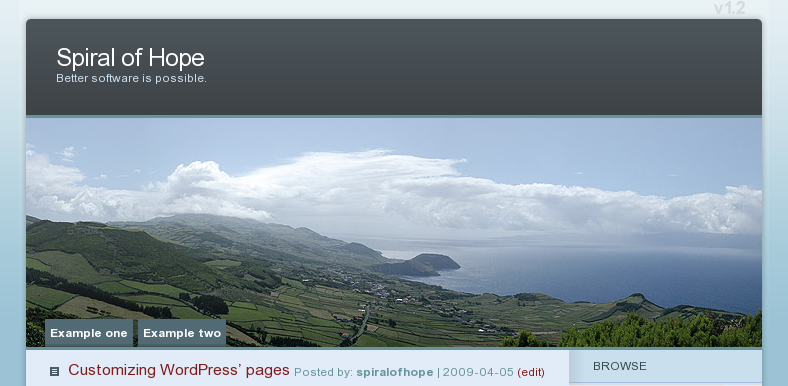
I don’t like the automatic page links.
Because I’m hosted on wordpress.com, I’m a bit limited as to what I can do.
1) Create blog entries as pages ∞
- Create some regular blog entries.
-
After you’re done, edit them again and change the date (top-right). Make the date old, to get them out of the way.
2) Learn more about your style ∞

I installed the Firefox Firebug add-on so that I could easily inspect my page. I wanted to do this so I could understand how my theme made the nice titles on the right-hand side.
You don’t have to use Firebug, you could use any other tool to gain this knowledge. Heck, you could even track down the theme author and ask.
- Install Firebug.
- Restart Firefox.
- Visit a regular blog page.
- Click the Firebug icon in the bottom-left part of Firefox.
- A new window slides up. Click “Inspect.”
- Click one of your existing titles on the right side of your blog.
-
The proper code should be highlighted. In my case, I had to use a little more than just the one line that was highlighted.
3) Set up the “Text” widget ∞
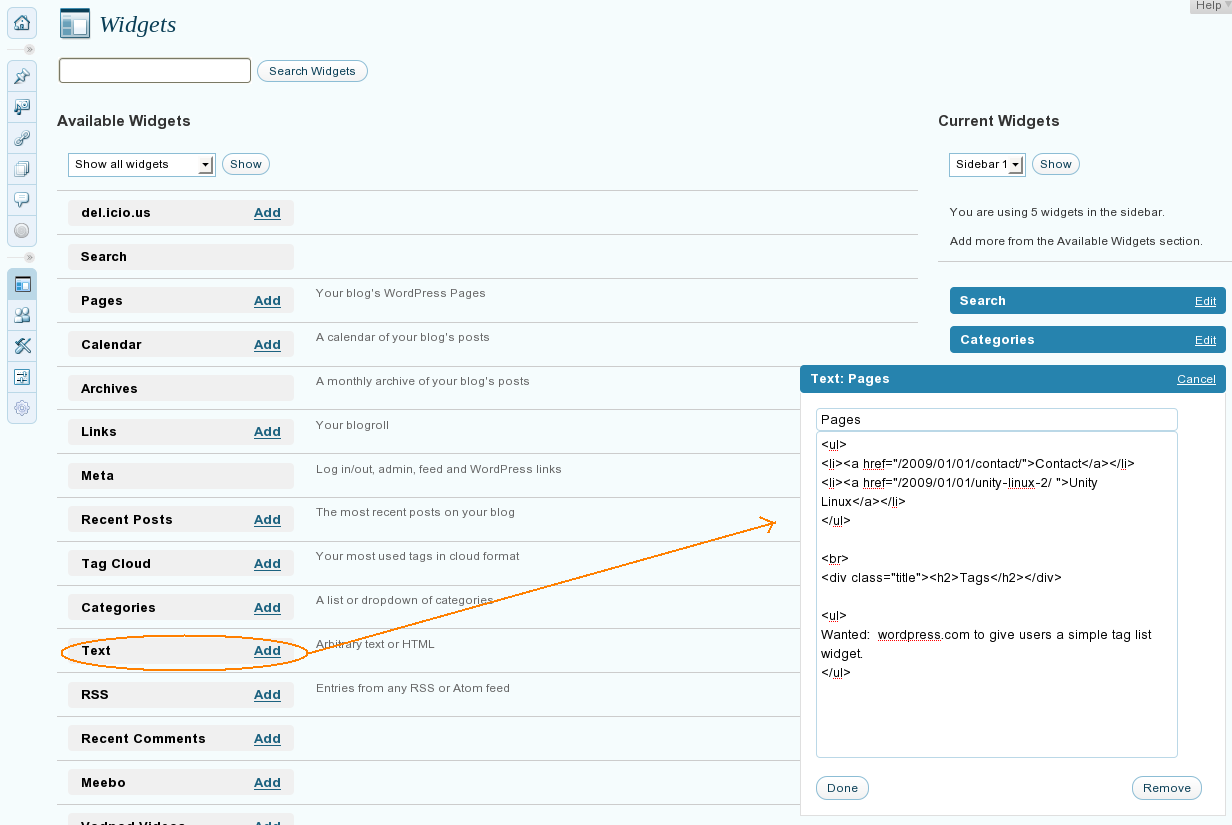
The Text widget allows you to write arbitrary text and HTML code into the right column.
Your widgets can be found at YOURNAME.wordpress.com/wp-admin/widgets.php
What you need to do is get the URLs to your blog posts and paste them into regular <a href= URL tags. Build a little list.
My style automatically styled bullet points, but I needed to properly identify my title. For my theme, it looked like this: <div class="title"><h2>Tags</h2></div>. It may look different for you, which is why I gave you Firebug instructions.
In my case, I only kept the trailing part of the URL without the domain name. This is so that I won’t have broken links if I ever move to another domain name.
My text looked like this:
<ul>
<li><a href="example.com">Contact</a></li>
</ul>
<br />
<div class="title"><h2>Tags</h2></div>
<ul>
Wanted:  wordpress.com to give users a simple tag list widget.
</ul>
Note: The reason I used <ul> for my text, and not something like <p style="margin-right:2%;margin-left:10%;"> was that the <p> added an additional space underneath the text when the final page gets rendered.
4) Delete your pages ∞
Either delete your actual pages, or revert them to drafts and the header image’s navigation links will be removed automatically.
YOURNAME.wordpress.com/wp-admin/edit-pages.php
Thoughts ∞
One annoyance is that I wanted to have a “Contact” page.
If it were an actual page, then it would have a comments section.
However, because it’s now a blog posting, it’s comments are subject to an automatic comments closure if one is set up for blog posts.

