 |
https://web.archive.org/web/20160628091241/www.samsung.com/us/support/owners/product/740N
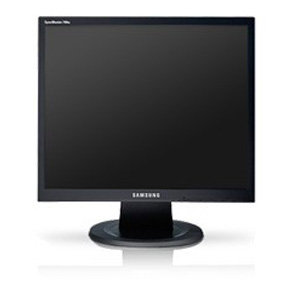
Samsung SyncMaster LCD 740N
Rather notable, actually.
| Maximum resolution | 1280×1024 |
| Cable | VGA |
I picked up this little wonder, cables included, for all of $13. I plugged it in as a second monitor.
Win-pgives options to use the second monitor, including mirroring or extending one’s desktop.- Switching a desktop (e.g.
ctrl-win-right) will also change the desktop of the secondary monitor. -
There are not hotkeys or a keyboard method to move an application between monitors.
I had to jump through some hoops. See dual-monitors.sh
Hardware notes:
-
Very easy to set up.
- It has buttons that actually make sense. Also, I really despise when monitors hide buttons underneath them, even though I don’t like having extra readable/markings visible.
- Like every other monitor, this one was way too bright and I had to drop its brightness to 30.
- It’s truly instant-on. My main monitor (Acer S231HL) has to “boot up”.
-
There’s an odd feature to select a region to change it’s specific contrast/brightness/etc settings. How very strange. Maybe that’s going to be awesome in some unforseen context.


Linked to my script.