See also:
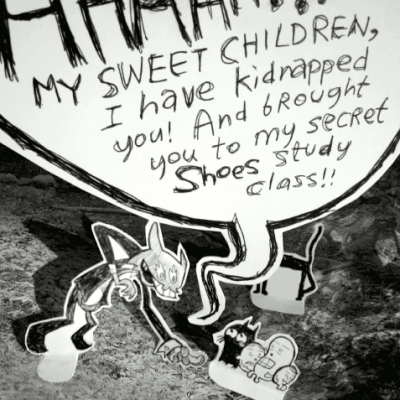
Images from my fork of _why’s Shoes introduction:
 |
 |
This tutorial was written for:
- ruby 1.9.2p180 (2011-02-18 revision 30909) [i686-linux]
-
“Red Shoes” from source, built 2011-03-07.
Hello, World! ∞
Shoes.app do
  para( "Hello, World!" )
end
para is short for paragraph.
Text ∞
Long strings will automatically wrap.
Shoes.app do
  para( "This is a very long sentence which ought to wrap.  This is a very long sentence which ought to wrap.  This is a very long sentence which ought to wrap.  This is a very long sentence which ought to wrap.  This is a very long sentence which ought to wrap." )
end
If you use multiple para, they will be joined together.
Shoes.app do
  para( "Two paragraphs are joined together." )
  para( "A space is automatically added between them." )
end
Unfortunately, Shoes follows the incorrect American convention and only adds a single space. It’s easy to manually add one if you’re picky. The extra space below is represented by an asterisk ( * ).
Shoes.app do
  para( "Two paragraphs are joined together.* )
  para( "A space is automatically added between them." )
end
Text formatting ∞
A stack can be thought of like a column of content. All items within a stack will be given their own line. A blank line is automatically added between them.
Shoes.app do
  stack do
    para( "These two paragraphs are separate." )
    para( "These two paragraphs are separate." )
  end
end
If you don’t like the blank line between the two, you can combine your text and manually put a \n to separate the two lines.. like so:
Shoes.app do
  stack do
    para( "These two paragraphs are separate.\nThese two paragraphs are separate." )
  end
end
A flow can be thought of like a row of content. All items within a flow will be given their own column. They end up side-by-side.
Shoes.app do
  flow do
    para( "one:  These two paragraphs are separate." )
    para( "two:  These two paragraphs are separate." )
  end
end
A flow isn’t quite like a stack with text. Shoes will push things onto the next line down if it needs to.
Shoes.app do
  flow do
    para( "one:  This is a very long sentence which will wrap onto the next line." )
    para( "two:  This is a very long sentence which will wrap onto the next line." )
  end
end
A flow is good for lining up things like text fields and buttons. That will be shown soon.
Text styles ∞
title– titles-
para– paragraphsstrong– boldem– emphasis / italics
Shoes.app do
  stack do
    title( "A title!" )
    para( strong( "strong - Strong text" ) )
    para( strong( "em - Emphasized text" ) )
  end
end
- Mixing multiple style of text
Shoes.app do
  stack do
    para( "Regular text, and ", strong( "strong text" ) )
    para( strong( "Strong text, and "), em(" emphasis text" ) )
    para( em( strong( "Strong-emphasis text, and " ), " emphasis text" ) )
  end
end
It’s possible to do shape your code in a more Ruby way. Perhaps for very complex stuff this would help you. Notice all the extra commas I added at the end of some lines, to help cut-and-paste.
Shoes.app do
  para(
    em(
      strong(
        "Strong-emphasis text, and ",
      ),
      " emphasis text",
    ),
  )
end
Fonts ∞
To learn about the fonts available on your computer, you can do:
puts Shoes::FONTS
A more Shoes way to do it would be:
Shoes.app do
  Shoes::FONTS.each do |i|
    para( i )
    para( "\n" )
  end
end
If you have a lot of fonts on your computer, Shoes will automatically give your Shoes window a scroll bar.
This is how you would use a font:
Shoes.app do
  para(
    'This text is using the font "Liberation Mono".',
      :font => "Liberation Mono",
  )
end
Other people may have different fonts on their computers. Shoes will use Ariel if you don’t specify a font to use, or if the font you specified doesn’t exist on that computer.
Fonts are a bit of an annoying subject to get into. A web browser may have different fonts than the computer itself. A font may even look different on different computers!
:align – Text Alignment ∞
- left (default)
- center
-
right
Shoes.app do
  para(
    'Center text',
      :align => "center",
  )
end
:top – More Text Alignment ∞
Shoes.app do
    para(
    'Center text',
      :align => "center",
      top => 60,
  )
end
:stroke – Text Colours ∞
Shoes.app do
  para( "red text",
    :stroke => red,
  )
end
Hex colour codes are also acceptable:
Shoes.app do
  para( "red text",
    :stroke => "#F00",
  )
end
Background Colour ∞
If you want to change the colour of your font, you may want to change the colour of the background.
This is red text on a black background:
Shoes.app do
  background black
  para( "red text on a black background",
    :stroke => red,
  )
end
Just like text, you can use a hex colour code for the background colour.
Shoes.app do
  background "#000"
  para( "red text on a black background",
    :stroke => red,
  )
end
Gradient Background Colours ∞
You can create a background colour gradient like this:
Shoes.app do
  background( "#F3F".."#F90" )
  para( "Hello, World!" )
end
No, you cannot have gradient text. =(
Why this functionality was provided is beyond me. It has already led to ugly and amateurish applications.
Similarities to and differences from HTML ∞
Similarities:
- A long line will wrap.
-
Multiple lines are combined.
Differences:
-
Multiple spaces will be displayed.
- Note that if you use a variable-width font you cannot use spaces to “line up” text.
Buttons ∞
We can make a button like this:
Shoes.app do
  button( "A button" )
end
But it’s not very interesting if clicking on it does nothing!
This one will give us a simple “alert”. That’s an application-popup.
Shoes.app do
  button( "A button" ) do
    alert( "Text!" )
  end
end
Images ∞
Clickable buttons ∞
It’s not current possible to put an image inside of a button. But you can make an image clickable.
Shoes.app do
  img = image( "shoes-icon.png" )
  img.click do
    alert( "Text!" )
  end
end
Shapes ∞
Boxes ∞
Shoes.app do
  rect( :width => 40 )
end
You can move your shape using :left and :right like this:
Shoes.app do
  rect( :width => 40,
        :left => 10,
        :top => 10,
  )
end
left– the distance in pixels from the left side of its window.top– the distance in pixels from the top of its window.right– ? TODO-
bottom– ? TODO
Circles ∞
Drawing circles is about the same as squares and rectangles.
Shoes.app do
  oval( :radius => 40,
        :left => 10,
        :top => 10,
  )
end
Arrows ∞
Shoes.app do
  arrow( :left => 30,
         :top => 30,
         :width => 40,
  )
end
Stars ∞
Shoes.app do
  star( :points => 5,
        :left => 100,
        :top => 100,
  )
end
Colours and borders ∞
Shapes are always drawn in black unless you say otherwise.
Our arrow example is:
Shoes.app do
  arrow( :left => 30,
         :top => 30,
         :width => 40,
  )
end
We can change the colours like so:
Shoes.app do
  arrow( :left => 30,
         :top => 30,
         :width => 40,
         :fill => yellow,
  )
end
That example has a black border. We can also control its colour and size.
Shoes.app do
  arrow( :left => 30,
         :top => 30,
         :width => 40,
         :fill => yellow,
         :stroke => red,
         :strokewidth => 3,
  )
end
You can use colour names or hex colour codes.
Shoes.app do
  arrow( :left => 30,
         :top => 30,
         :width => 40,
         :fill => "#FF0",
         :stroke => "#F00",
         :strokewidth => 3,
  )
end
You can use gradients too:
Shoes.app do
  arrow( :left => 30,
         :top => 30,
         :width => 40,
         :fill => black..yellow,
         :stroke => "#F00",
         :strokewidth => 3,
  )
end
You can also do a background gradient with hex codes:
Shoes.app do
  arrow( :left => 30,
         :top => 30,
         :width => 40,
         :fill => "#FFF".."#030",
         :stroke => "#F00",
         :strokewidth => 3,
  )
end
Working with text ∞
Clearing ∞
with .clear
Shoes.app do
  @string = stack do
    para( "Hello, World!" )
  end

  link("Clear").click do
    @string.clear
  end
end
Replacing Text ∞
with .replace
Shoes.app do
  @string = para( "Hello, World!" )

  para(
    link( "Replace" ).click do
      @string.replace( "test" )
    end
  )
end

