coming later
 |
Programming > Zaurus programming >
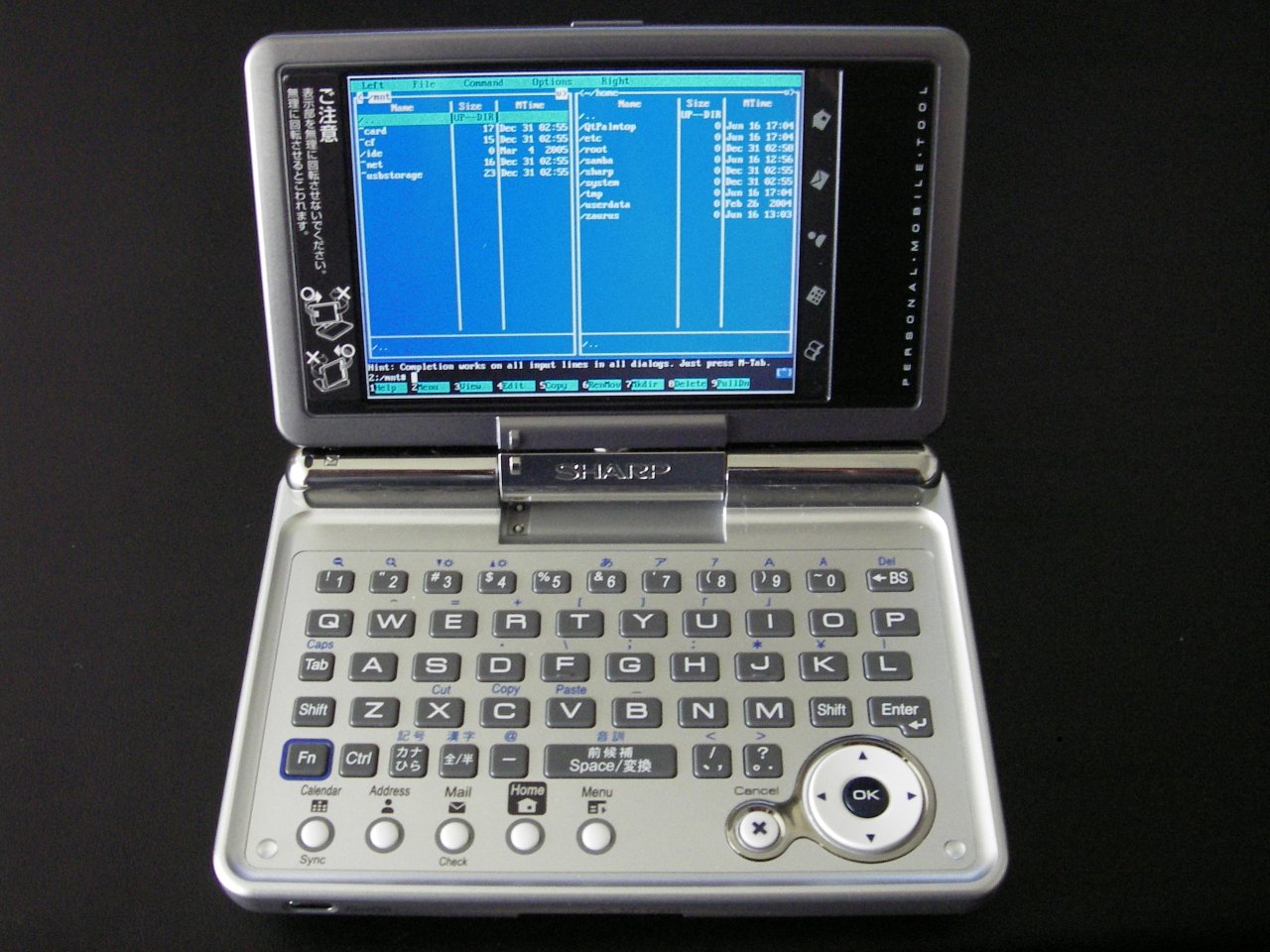
Programming for (targeting) the Zaurus, with specific interest in the Zaurus SL-C1000.
-
As opposed to Programming on the Zaurus
Stuff ∞
- How to build a custom ROM for the Zaurus
-
- Supports cross-compiling for ARM architecture.
-
- Has a GUI toolkit which can compile with Zaurus as the target. Looks very cool, and supports Ruby!
-
https://web.archive.org/web/20070604141608/http://www.externe.net:80/zaurus/sdk/
Qtopia.tar.gzcontains its libsl and libzdtm binaries. You can also download them from https://web.archive.org/web/20090206233836/http://developer.ezaurus.com:80/ and suffer the pain of integrating everything by yourself.
-
- Embedded Linux Integration Tools & Environment
-
OpenEmbedded comes up time and time again as a cross-compilation solution.
- getting necessary software installed: http://www.openembedded.org/wiki/OEandYourDistro
- and https://web.archive.org/web/20080705121027/http://openembedded.org/wiki/GettingStarted
-
https://web.archive.org/web/20070625091132/http://www.oesf.org/forums/index.php?showtopic=1072
- instructions for setting up a cross-compiler (mostly in Japanese, also works for gcc 3.2.2)
ANSI C++ forbids data memberip_opts’ with same name as enclosing class` ∞
I don’t know what this is referring to.
/opt/Embedix/tools/arm-linux/include/bits/in.h:69: ANSI C++ forbids data member `ip_opts' with same name as enclosing class
http://www.oesf.org/forum/index.php?showtopic=1337
Building your own packages ∞
was http://www.users.on.net/~hluc/myZaurus/custom.html#ipktools
You can also build your own packages (ipk files) if you have written some useful scripts or written some applications that you want to distribute and let others install easily with the standard package manager.
I have build a package ipktools (ipktools_0.3.5_arm.ipk) which has a set of tools for manipulating ipk files:
- newipk – creates a package template structure for you to add files to for packaging
- makeipk – package up a directory that contains files in an ipk structure into an ipk file
- unpackipk – extracts the contents of an ipk file into a directory structure for repackaging
- deb2ipk – converts a deb file into an ipk file format
- zipipk – zip up an ipk file and remove ipk file afterwards
- compatipk – attempts to make an ipk packaged for another distro to be more compatible with the Sharp system in terms of filesystem structure
- xipk – installs ipk to alternate location other than main memory
- xipk-link – links files and directory installed to alternate locations (used by xipk)
- xipk-build – used to build cramfs/squashfs images (installs the package to the image without registering it into the package repository)
- ipkg-link – links files and directory installed by ipkg
- ipkg-make-index – generates the Packages file needed for a feed
- pkgsize – reports the installed size of the files making up the package
- ar – extract the .deb/.ipk packages
- mkcramfs – create cramfs image
-
mksquashfs – create squashfs image
There currently are two ipk file formats. One uses the tar and gzip format wheras the other uses a different format that is similar or the same as the format used for deb files. The Zaurus with default Sharp ROM uses the tar and gz format, which basically is a gzipped tarball (.tgz or .tar.gz) with a control structure and renamed to .ipk. If you extract this ipk file, you will find 3 files inside it – a text file called Debian-binaries which just contains the string 2.0, and two .tar.gz files called control and data. The control.tar.gz file contains a text file called control which has information about the package such as the maintainer’s name, dependencies, version, description, etc. There may also be some optional shell scripts for doing some pre and post configuration tasks during install and uninstall. Finally, the file data.tar.gz contains all the files and directory structure of the files for their destination location.
To unpack an ipk file to see what is inside it, do the following:
unpackipk somefile.ipk
To create your own ipk file, do the following to create the ipk file structure:
newipk myprojectk
Then once you add your files in the correct locations and also update the control file with the information about your application, you can create your ipk file with the following command:
makeipk myprojectk
Cross-compiling for the Zaurus ∞
—
-
- Has an application which will simulate na 200MHz ARM processor and embedded system in real-time. Good for doing palmtop software testing on a desktop machine.


ported
URLs not checked