 |
Computers > Portable computing >
Sharp Zaurus SL-series > Zaurus SL-C1000 >
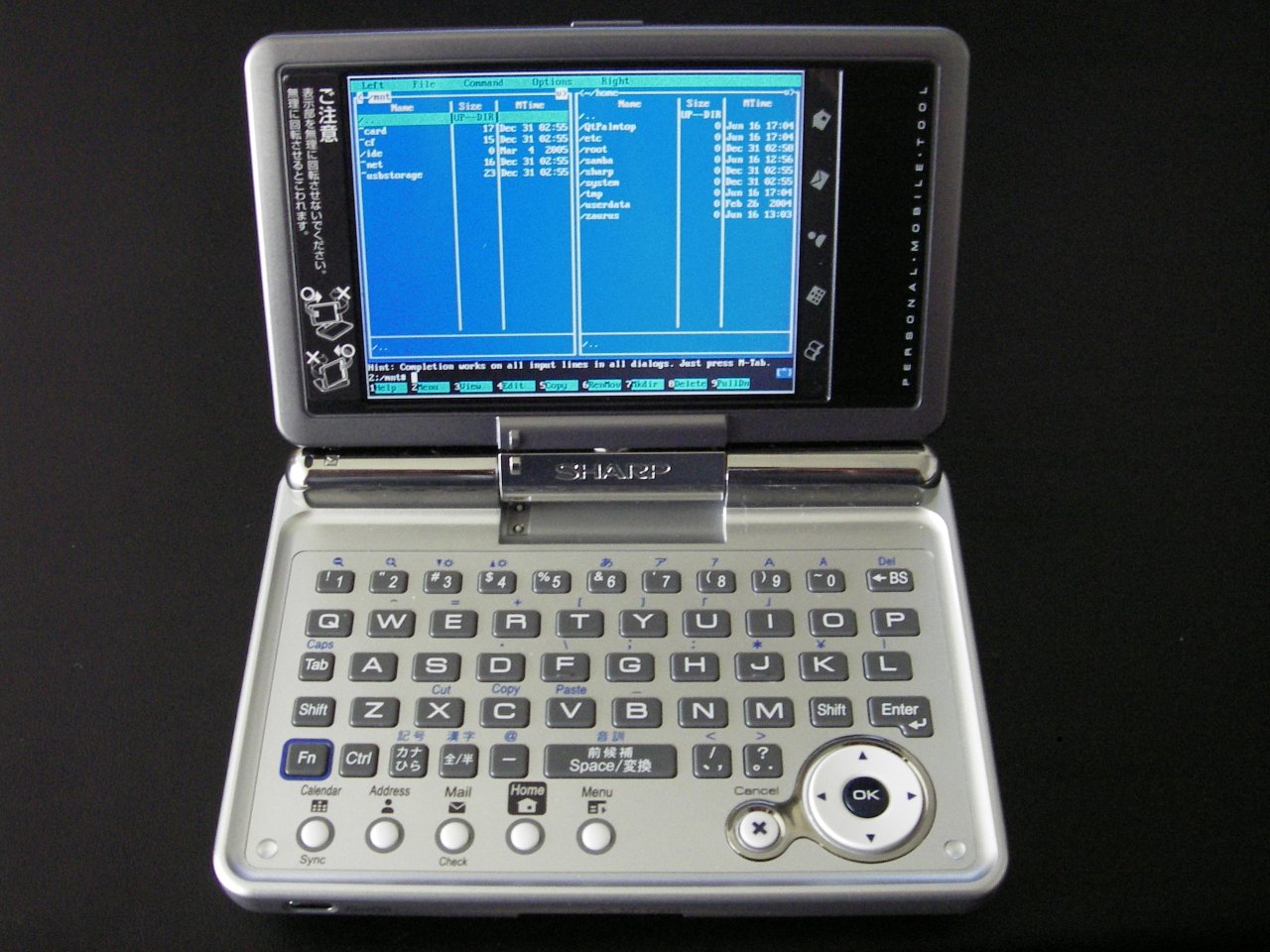
Software for, and which comes with, the Sharp Zaurus SL-C1000.
See also:
-
See the individual Zaurus distributions for any software notes specific to them.
- For example, pdaXrom has its own notes.
- /tag/zaurus-software
- ROMs and Zaurus distributions will come with a collection of applications and a “feed” (repository) with even more.
- Zaurus games
Core details ∞
ROM:
-
Stock Sharp ROM version 1.01 JP.
Distribution:
- Lineo Solutions uLinux Linux kernel 2.4.20 built on 2005-Feb-28.
-
Can use other operating systems. (not attempted yet)
GUI:
-
Ships with the commercial version of Trolltech’s Qtopia v1.5.4 built on 2005-Mar-04.
—
- The SL-C1000 normally ships with the same software as the SL-3000 and SL-3100, although I’ve heard of subtle differences between the 3000 and 3100 so I’m not entirely sure.
- Dynamism translated 97% of the Japanese stuff into English. However, some out-of-the-way things are still in Japanese. Some applications are entirely untranslated because it’s not feasible.
- Many Zaurus programs written for the SL-5500 and SL-5600 models will work fine. Since those earlier models have 240×320 displays, the Zaurus will run its display at 240×320 for these programs. There is a zoom option to make them full-screen, and this can be defined on a per-application basis.
- Applications written for the SL-3000 and 3100 will run on this device.
-
Fn+shift-cto screenshot. The file is placed inScreen_Filesin the Zaurus or on the memory card if one is inserted.- FIXME – Determine how this works, and the file format.
-
The FTP daemon has not been enabled by default.
Pre-installed software ∞
Taken from was http://www.users.on.net/~hluc/myZaurus/
SL-C3000 and SL-C3100
-
- HancomWord (for
.doc) - HancomSheet (for
.xls)
- HancomWord (for
- TextEditor (for
.txt) - ImageViewer (for
.jpg,.bmp,.gif) - MoviePlayer (for
.mpg) - MusicPlayer (for
.mp3) - NetFront Browser
- E-Mail Client
- ToDo List
- Calendar
- AddressBook
- Calculator
- WorldTime
- Dictionary
- Translator
- Terminal Window (need to be installed from CD-ROM)
- Telnet and FTP client (command line)
-
English and Japanese handwriting recognition and keyboard input methods.
The C3100 also has the following software pre-installed by default which the C3000 does not have (These applications are only really useful if you are in Japan or know Japanese):
- BunkoViewer
- KiokuDojo (Memory Trainer)
- MobileMap
- Norikae (Transfer Guide)
-
Database
The C3000 requires that you update/add the following software wheras the C3100 already comes with the updated versions of these:
- musicplayer2 – [
musicplayer-C3000_2.0.0_arm.ipk] - netfront3.1 – [
netfront3.1-C3000_1.5.2_arm.ipk] -
photostorage – [
photostorage_1.0.1_arm.ipk]
You should patch the SL-C3000 with the newer 1.11 ROM (card_update_3000111.exe) if it came with the older 1.01 ROM. Also, there are some new drivers and patches that you might need at was support.ezaurus.com/sl-c3000/update
The SL-C3100 should come with a 1.02 ROM. New drivers and patches for the SL-C3100 are located at was support.ezaurus.com/sl-c3100/update/
Software Directories ∞
-
https://web.archive.org/web/20160112003201/http://elsix.org/
- https://web.archive.org/web/20170702155945/http://www.handheld-linux.com:80/swi/index.php — New archive
- https://web.archive.org/web/20180428170735/http://www.mobiletechreview.com:80/software/Zaurus_software.htm — A good listing
- https://web.archive.org/web/20101120153948/http://zaurus.palmopensource.com:80/
-
http://thegrinder.ws/downloads/ — Meanie’s stuff.
- (mirror)
- was www.focv.com/ipkg/ — A LOT of great packages.
- https://web.archive.org/web/20060614140130/http://www.linuxlinks.com:80/PDA/Zaurus/Software/Multimedia/
- https://web.archive.org/web/20070607020920/http://www.oesf.org/index.php?title=Mulesex.port5.com
- atty.skr.jp — A fair listing of self-developed stuff.
- https://sourceforge.net/projects/zports/ [ 1 ] — Misc. stuff.
- http://www.daniel-hertrich.de/download/ — Lots of cool software. Some DOS/HP 200LX.
-
https://web.archive.org/web/20181223185739/http://ipkgfind.handhelds.org:80/ — A search engine..
Feeds ∞
Distributions will have their own feed.
-
https://web.archive.org/web/20070813201710/http://zaurus.spy.org:80/feeds/ — He has cached a number of feeds.
- These are just copies, and are useful for reference in case the originals go down. Example: docs.zaurus.com/feeds was taken down.
- https://web.archive.org/web/20100323174134/http://zaurus.daemons.gr/menaie/feed/
- Capn_Fish Zaurus pdaXrom Feed
For sale ∞
-
sharp software store — Has free software.
- http://www.poliplus.com/handheldproducts.htm
- SoftMaker > TextMaker — The best word processor available.
-
https://web.archive.org/web/20121005173232/http://thekompany.com/embedded/ — A store. But a little bird told me their applications suck. I need to inspect things more closely to judge.
Secondary ∞
- https://web.archive.org/web/20060129170912/http://zaurus.spy.org:80/programs/? — A personal cache of files. Could potentially be useful.
-
https://www.iaccarino.de/silvio/zaurusstuff.htm
- You can also use this feed: www.iaccarino.de/silvio/stuff/ (gone, not archived)
-
https://web.archive.org/web/20120608173125/http://members.cheese.at/woody/zaurus/
Applications ∞
Important ∞
- LFTP > lftp
-
SSH — Install the openSSH package and then
sshinto it atroot@192.168.129.201— although USB network drivers must exist on your other machine.scpandsftpcome with the openSSH package.
- Telnet via USB is:
192.168.129.201 -
VNC will work.
Other ∞
- Other/Unsorted:
- https://web.archive.org/web/20140723054846/http://www.vanille-media.de/site/index.php/projects/python-for-arm-linux/
- http://gurno.com/adam/zaurus/ — has rend and cplay.
- The Wikipedia on the Zaurus
-
- Russian language support.
- Lots of other cool stuff.
- qkonsole
-
https://web.archive.org/web/20051106105305/http://www.oesf.org:80/forums/index.php?showtopic=8753 — On SQLite for the Zaurus.
- zBedic — dictionary
- Zten Variant — A variant of the popular zten dictionary app.
- JavaDict (Japanese)
-
KanjiNirvava
- QPDF2
- NeoCal
- Keyring
- QPSword
- ZUC
-
Wellenreiter
- Viewers/Players:
- opie reader — text,
.chmreader - justreader — ebook reader
-
- con: Only
.jpg - Pro:
cursor-up/cursor-downchange images. Very fast for large images.
- con: Only
- qpdf2 — PDF reader. Get the freetype package.
-
- More file formats (
.jpg,.gif,.png) couldn’t find its homepage.
- More file formats (
- Bookreader – As an image viewer.
- Sharp Photo Storage – for viewing
- MPlayer (of course)
- https://web.archive.org/web/20110415052437/http://home.earthlink.net:80/~cresho/ — Video on The Zaurus. Has a complete HOWTO and notes all necessary software. Awesome!!
- Kino2 — A really fantastic movie player which can do full-screen movies.
-
- $10 — Ze Player is an Amiga Module player for the Sharp Zaurus PDA, based on the libmikmod – a sound library written by Jean-Paul Mikkers (MikMak). It is able to play the IT, XM, S3M, MTM, 669, STM, ULT, FAR, MED, AMF, DSM, IMF, GDM, STX, OKT and of course MOD module formats.
- spoken — A text-to-speech program (for purchase)
- flite — another text-to-speech program.
-
ubahnnav — for maps
Editors:
- https://web.archive.org/web/20050427153639/http://www.elsix.org/index.php?w=project&p=1018 — Nano 1.2.4 binary. Tested and works fine.
- hancom’s office software is ok.
- Joe’s Own Editor (JOE) — text editor
- ZEditor
-
SimpleEdit (site down mid-June 2006)
- A programmer’s text editor, with code folding.
- https://www.oesf.org/forum/index.php?topic=18509.0 [ 2 ]
- See https://web.archive.org/web/20100323174134/http://zaurus.daemons.gr/menaie/feed/
- Can’t get rid of the line numbering, no line wrap.
-
- An editor and graphical frontend for various scripting languages.
- iqnotes
- xscribble
-
- Handy note take that lets you write on the screen then transpose to text later
-
- Great note app and very useful for making quick maps, diagrams etc
File managers:
- QPE file manager
-
Tree!Explorer QT — File explorer. Try the free version.
PIM:
- portabase
-
- It makes it possible to run the same applications for PIM management (addresses, appointments, todos) on desktop computers and on the Sharp Zaurus.
- https://sourceforge.net/projects/kdepimpi/files/KDE_Pim/ [ 3 ]
- https://web.archive.org/web/20241114145749/https://www.oesf.org/forums/index.php?showtopic=10063 bug reports
- KO/PI
- KA/PI
- Sharp QtMail
- tKc memo
- leaflet
- qpe alarmclock
-
Kalarm Applet
Utilities:
- SystemInfo
- Memory Applet
- Battery Applet
-
VNC on the Zaurus
- keypebble from the OZ feed (3.3.5 should be compatible with a standard Sharp ROM)
- was nsb.homeip.net/taihi/pc/vnc/linuxzaurus/
- https://web.archive.org/web/20150205031555/http://www.hudren.com:80/products/neocal/ — Calculator. The free version is still good.
-
- A practical calculating tool and programming language designed to help us all to better understand the world around us, to help us get calculations right without getting bogged down in the mechanics, and to make a tool that’s really useful in the real world.
-
- A Secure Data Manager, also known as a Password Safe or Password Keeper for storing sensitive data.
-
- Remap your keys, make shortcuts keys to start apps etc etc etc. maslovsky has added keyhelper support to CryKeyboard but it’s a little out of date now (latest version is 1.2.2)
- This should be included to most distributions.
-
custom input — Keyboard remapper thingy.
- It doesn’t seem to do anything.
- It won’t recognize the slash (
/) key for reprogramming it.
-
ZStyle – For setting QTopia Application Fonts for Japanese support
Networking/Internet:
- minimo (mozilla)
- there’s a mini konqueror
- Dillo
- Lynx
- gaim > qpe-gaim — Instant messagers
- https://www.irongeek.com/all.php — Summary of Wellenreiter, Kismet, ZEthereal, etc.
- Netactive – Qtopia bar icon that shows network traffic
- Netfront
- Kismet
- Kompany FTP client (GUI)
- pure-ftpd
- open sshd
- Wireless LAN Monitor
- Kismet + Kismet GUI — Sniffer
- IRDA Applet
- rsync
X11 ∞
- http://www.cacko.biz/~sash/feed/
-
https://web.archive.org/web/20040125094019/http://cacko.biz/ipk_feed.php
Other notibles ∞
which I won’t be using
Notes ∞
locate exists as a package, but some consider it overkill. Try this:
alias locate='find / -print 2>/dev/null | egrep '
-
Some (maybe all) of pmf‘s ports are on was pdaXrom.org .. he does not maintain them anymore. They were hosted at http://pmf.neominds.net once.. the
.ipkfiles are archived!! - Zaurus Security Tools
- Tiny Java Web Server and Servlet Container aka Miniature JWS – with security update, J2EE deployment, JSP, and J2EE without application server.
- cloverpaint
- Sharp Voice Recorder – for voice notes
-
ImageMagick – (command line) for Image manipulation/editing
Unsorted ∞
Footnotes
- was https://zports.sourceforge.net/ [ ↩ ]
- was www.oesf.org/forums/index.php?showtopic=18509 (not archived) [ ↩ ]
- was http://sourceforge.net/project/showfiles.php?group_id=104103&package_id=112604 [ ↩ ]

