 |
https://www.curseforge.com/wow/addons/gnosis
Primarily a cast bar replacement, it also allows for some other bars.
I only use it for its most simple feature. A single bar. A bar with a proper simple font.
|
https://www.curseforge.com/wow/addons/gnosis
Primarily a cast bar replacement, it also allows for some other bars.
I only use it for its most simple feature. A single bar. A bar with a proper simple font.
https://www.wowace.com/projects/fishermans-friend
A fishing helper.
While you have a fishing rod equipped:
Turn on Auto-Looting.
For people who fish, I’d consider this mandatory. I stopped caring somewhere mid-Cataclysm.
/fmf or /fishermansfriend
 |
https://github.com/Addons-By-Neotron/BulkMail
https://www.curseforge.com/wow/addons/bulkmail
Mail sending made easy.
Build a list of items to send in bulk. Automatically build a list with configurable rules.
See also Bulk Mail Inbox
 |
https://www.wowinterface.com/downloads/info18867
https://www.wowace.com/projects/bulkmail-inbox
Turns your mailbox into another bank, plus a whole lot more.
With Bulk Mail Inbox and Bulk Mail, I can use my mailbox as an unlimited-slot bank. The one problem is that you will run into a full mailbox issue, where you cannot see the attachments of backlogged mails until you empty out your current stuff. This is an intentional limitation in the game. Nothing is ever deleted or lost until it reaches its normal mail expiry date.
Though I first thought I had never lost items or gold, I do think I’ve lost items but hadn’t nailed the problem down. I thought I was being too stupid to double-check after typing. I still do trust it.
Mark multiple items to take without taking all.
—
/bmSee also Bulk Mail
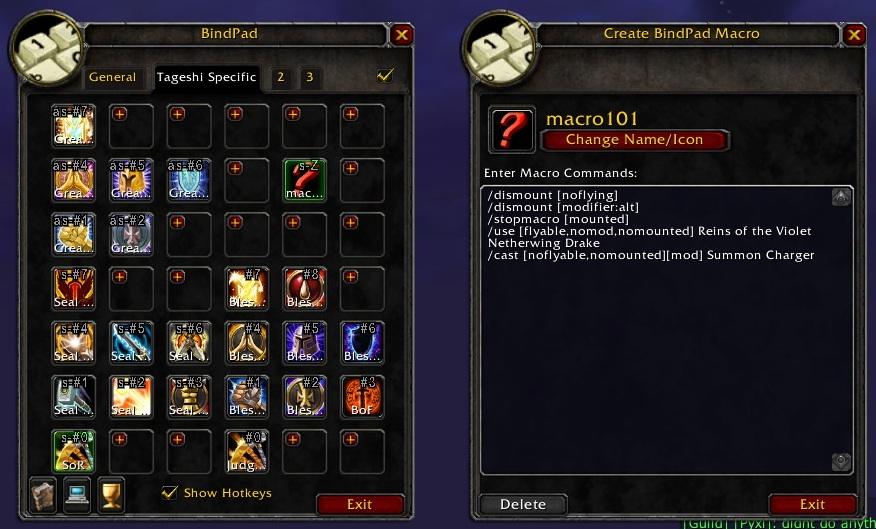 |
https://www.wowinterface.com/downloads/info6385
https://www.curseforge.com/wow/addons/bind-pad
Bind spells items, and macros to keys without using actionbar slots.
Straightforward and extremely powerful.
/bp or /bindpad
TODO – submit tickets
 |
https://www.wowinterface.com/downloads/info19491
https://www.curseforge.com/wow/addons/basic-threat-bar
A bar that displays your threat; duh.
Quite customizable. I just use it for a slim bar. It helps me know when I’ve built too much threat and reminds me when I’ve caught it.
/btbI place RangeDisplay overtop of this.
 |
https://www.curseforge.com/wow/addons/auctionmaster
A fairly well-rounded auction house AddOn.
Abandoned — Officially retired.
 |
https://www.wowinterface.com/downloads/info16780
https://www.curseforge.com/wow/addons/tinydps
A lightweight meter AddOn.
/tinydps
 |
https://www.wowinterface.com/downloads/info11801
https://www.wowace.com/projects/sign-on
Customizes the signon/signoff messages for friends and guildies.
git://git.wowace.com/wow/sick-of-clicking-dailies/mainline.git
https://www.wowinterface.com/downloads/info7798
www.curseforge.com/projects/14646/
Makes picking up daily and weekly quests and turning them in easier and more streamlined when you quest in bulk.
Can automatically skip through options and select a quest reward for the ones that have them
Automatically detects daily and repeatable quests.
Hold down the shift key to prevent the auto-completion from going through and you will see the options there.
—
/socdPartly replaced by Leatrix Plus

