 |
 |
https://www.wowinterface.com/downloads/info6606
https://www.wowace.com/projects/silver-dragon
Tries everything possible to notice rares and tell you about them. Has an easy-target button and can play sounds.
|
|
https://www.wowinterface.com/downloads/info6606
https://www.wowace.com/projects/silver-dragon
Tries everything possible to notice rares and tell you about them. Has an easy-target button and can play sounds.
 |
 |
https://www.wowinterface.com/downloads/info11831
A display platform for LibDataBroker (LDB) based plug-ins.
I use it as a bar across the top of my screen which hides until my mouse goes over it. Mandatory, for the few LibDataBroker addons I use.
2017-09-01 – Abandoned: It’s still maintained even though the author no longer plays. Wow.
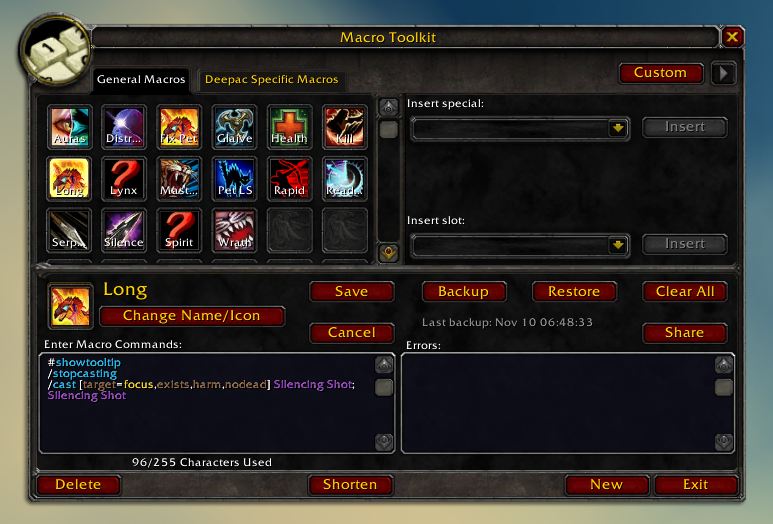 |
https://github.com/NumyAddon/MacroToolkit
https://www.curseforge.com/wow/addons/macro-toolkit
Copy macros between characters
Not used because it Breaks Super Duper Macro. I remember giving it a reasonable try and just not liking it in comparison to Super Duper Macro.
Seems to work for Legion
https://www.wowinterface.com/downloads/info6681
https://github.com/TekNoLogic/tekErr
A simple error manager. When an error is caught it will blink a small minimap icon to inform you. Clicking the icon opens a panel listing all errors. Clicking an error shows a full stack trace, handy to copy/paste into a bug report.
You can also access the panel via an LDB launcher or by typing /err or /tekerr
https://www.wowinterface.com/downloads/info5026
https://www.wowace.com/projects/squeenix
https://github.com/TekNoLogic/Squeenix
Minimap modifications.
Abandoned; as of 2020-10-05 last updated 2016-09-13 and all forks have no effort.
 |
https://www.wowinterface.com/downloads/info15287
https://github.com/TekNoLogic/Buffoon
Shows you who cast each buff you have (excluding your own).
Handy for knowing which hunter has Aspect of the Pack on.
Abandoned; not updated in a decade.
 |
https://wow.curseforge.com/projects/3651
https://github.com/arkayenro/arkinventory
A bag AddOn, with ludicrously-complex functionality.
It’s display windows are built from ‘virtual bars’, where you assign categories to bars so that items in that category are displayed on the specific bars you want.
ArkInventory was slow as fuck to log in with or open my bags/bank with, though an update that introduced delayed start helped a lot. This was probably due to my heavy customization. I upgraded my computer.
/ai
NOTES TO SELF
Create little pages and refer each addon to that page, then push notes (with dates) into their proper notes list.
ancient outdated notes
World of Warcraft > World of Warcraft addons >
The (then) current list of AddOns which I’m using or will try soon, as well as other todo notes, troubleshooting notes and the like.

