 portrait of happy blond angel girl with feather boa
|
 unzipping, pink thong garters
|
 blue hair breath and flowers
|
 "Untitled", by Svitlana Miku
|
 "Untitled", by Svitlana Miku
|

This will probably be buried in the depths of this thread, but as someone who is a steward and community advocate at Slickdeals, I thought I might be able to relay some of the insight we’ve garnered as we’ve built our community.
While this functionality is available from other programs like VirtuaWin, and it worked for me on Windows XP and Windows 8.1, this sort of functionality is now baked into Windows 10.
TODO – Screenshots. I would have to use some non-standard method. Windows 8.1 would allow me to take taskbar-only screenshots, but Windows 10 does not.
I’m the very first person ever to want to be able to see the text on my applications in the taskbar.
This is an unsolved problem.
Obsoleted by Windows 10 configuration, redux
 |
- See also Windows 10 privacy
-
2015-08-01 – I switched from Windows 8.1 (Windows 8.1 configuration)
 |
- RESULT – giving up. I have no idea what .mclt files are, how to customize them, how to make them, or where to get them.
I was using ManyCam and wanted to edit a lower third to fix the font and otherwise tweak it.
There is the ability to select a new one, but I found no replacement .mclt file on ManyCam.
Trying to figure this out took such a long time I needed to spin off a new page.

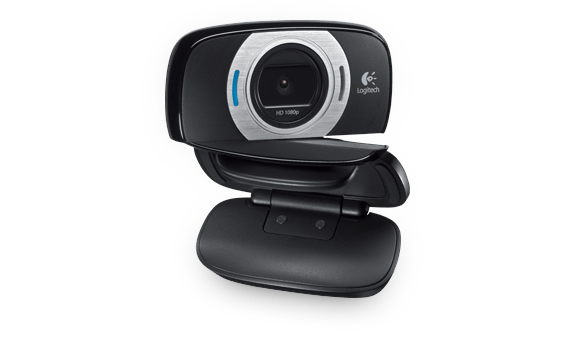 |
https://support.logi.com/hc/en-gb/articles/360024154394
- Obsoletes the Logitech C525.
-
Obsoleted by the Logitech C920.

