 |
Software >
(on Wikipedia)
https://obsproject.com/
I use this for video creation, and streaming on YouTube and Twitch.
Requires a hell of a lot of fiddling, and is missing some incredibly basic things.
|
Software >
(on Wikipedia)
https://obsproject.com/
I use this for video creation, and streaming on YouTube and Twitch.
Requires a hell of a lot of fiddling, and is missing some incredibly basic things.
 |
Google > Chrome >
Software > Web browsers, SVG viewers >
(on Wikipedia)
offline installers
https://github.com/MicrosoftEdge
https://www.microsoft.com/en-us/edge?ep=0&form=MA13T3&es=176&ch=1
Yet another Chrome derivative, but Microsoft took it seriously and made improvements.
You gain access to an artificial intelligence if you use it.
This is regarding “version one” You probably want Windows Subsystem for Linux 2.
 |
 |
(on Wikipedia)
https://github.com/Microsoft/WSL
https://learn.microsoft.com/en-us/windows/wsl/about
A way to run Linux commandline software from a specialized console, similar to how a command prompt runs DOS or PowerShell.
It works well, but it’s imperfect.
Sometimes mis-named Bash on Ubuntu on Windows or Bash on Windows
See also:
XLaunch to run GUI Linux software.
 |
Software >
(on Wikipedia)
https://www.yacy.net/
A self-hosted peer-to-peer search engine.
Aborted because openjdk-8 is not available to me.
 |
Software >
https://bitbucket.org/zxtune/zxtune
https://zxtune.bitbucket.io/
Oldschool as fuck, but does everything just right™.
 |
Software > Oldschool music players >
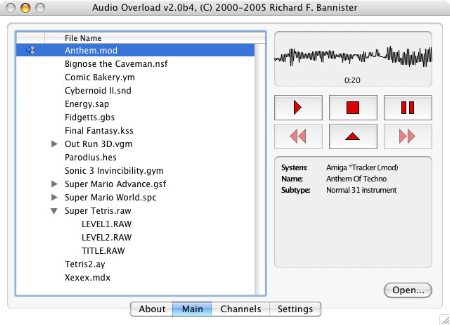
https://www.bannister.org/software/ao.htm
An oldschool music player.
Has potential, but is missing critical features and its development appears to have ceased. Only good for playing ASMA (Atar) .mus, .str, and .wds files.
 |
Software >
(on Wikipedia)
Chocolatey: Ghostscript
https://ghostscript.com/
A suite of software for dealing with PDFs.
It’s a requirement for other software, and I only care about actually using it for repairing PDFs.
 |
Software >
Pale Moon > Pale Moon extensions >
was https://github.com/wsdfhjxc/expose-noisy-tabs, but I found a copy at https://github.com/adisib/expose-noisy-tabs
https://addons.palemoon.org/addon/expose-noisy-tabs/
Adds an icon to tabs to indicate which emanates sound and allow one to easily mute them.
2018-03-31 – 1.1.0
 |
Software > Text editors >
https://github.com/gottcode/focuswriter
https://gottcode.org/focuswriter/
A beautified text editor with the widgets around the edges removed (“distraction-free”).
I started using it because I couldn’t trivially get Geany spell checking working. Once I did get it working I stopped.
Although I’ve used this on Linux a bit, it merely idles in my Windows kit.