 |
(on Wikipedia)
https://ffmpeg.org/
A suite of tools to diddle with multimedia stuff and things.
It’s mandatory to have in my toolkit.
|
(on Wikipedia)
https://ffmpeg.org/
A suite of tools to diddle with multimedia stuff and things.
It’s mandatory to have in my toolkit.
 |
(on Wikipedia)
http://www.avidemux.org/
http://fixounet.free.fr/avidemux/
I don’t really care about this, but I do use it occasionally to cut apart videos.
Quite straightforward to use for simple video editing and appending. It took me almost no time to learn.
Good for transcoding and merging audio into video.
I use avidemux_gtk
avidemux2_cliTODO – add my notes, and scripts
 |
Software > Text editors >
(on Wikipedia)
https://git.savannah.gnu.org/cgit/nano.git/
https://nano-editor.org/
The license-unencumbered version of Pico.
Small, easy. Needs some basic functionality but is still quite useful.
formerly: TIP (TIP Isn’t Pico)
TODO – add my notes, and scripts
 |
(on Wikipedia)
https://sourceforge.net/projects/htop/
https://htop.dev/
A process viewer.
Utterly blows away top.
 |
 |
(on Wikipedia)
https://www.gnu.org/software/grub/
A boot loader.
This is one of the “big” boot loaders. I can’t fathom it (since it’s GNU), so I expect a distribution to be magic with it.
When GRUB breaks, I use boot-repair.
 |
 |
(on Wikipedia)
https://sourceforge.net/projects/geeqie/
http://geeqie.sourceforge.net/
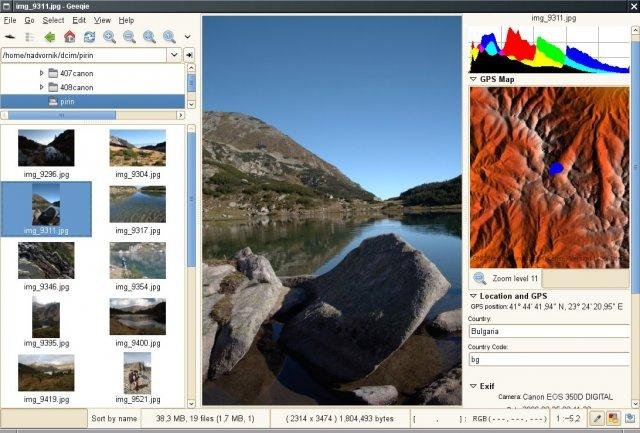
A straightforward and lightweight image viewer.
 |
Software > Web browsers >
(on Wikipedia)
Linux > http://www.palemoon.org/
http://www.palemoon.org/
A web browser which is essentially a fork of Firefox. Pale Moon keeps the simpler UI before the astonishingly terrible changes Firefox made.
A very good browser. Newer addons targeting the latest Firefox which are addicted to its new interface will not work with Pale Moon, since Pale Moon lacks that interface. Older addons or proper UI-agnostic addons will work fine.
Internet > Remote controlling software >
SSH being enabled is also known as having “shell access” enabled. It’s generally considered a risk for various reasons, most notably because runaway processes can be an issue.
Secure Shell
 |
(on Wikipedia)
https://github.com/IgnorantGuru/spacefm
http://ignorantguru.github.io/spacefm/
The current god of file managers.
It’s bloody amazing, and does so much “just right”. I can tell that the author has his head on straight. It ought to be the default in every Linux distribution which uses GTK+.
TODO – host all scripts.
TODO – this whole thing needs to be redone!
 |
(on Wikipedia)
https://addons.mozilla.org/en-US/firefox/addon/greasemonkey/
https://github.com/greasemonkey/greasemonkey/
https://www.greasespot.net/
See also:

