 |
Software >
(on Wikipedia)
https://jami.net/
here for reference
| (it has no icon) |
(on Wikipedia)
https://tintin.mudhalla.net/
A client renown for actually being developed.
Oh my god it’s like I’m the first person to look at the website or use the program.
Can interact with the shell
 |
https://github.com/philbot9/youtube-comment-scraper/
Downloads the comments on YouTube videos.
Used to be available at ytcomments.klostermann.ca but that IP got banned because of overuse.
See my youtube-comment-scraper.sh script for how I use it.
 |
Software >
(on Wikipedia)
https://obsproject.com/
I use this for video creation, and streaming on YouTube and Twitch.
Requires a hell of a lot of fiddling, and is missing some incredibly basic things.
 |
Google > Chrome >
Software > Web browsers, SVG viewers >
(on Wikipedia)
offline installers
https://github.com/MicrosoftEdge
https://www.microsoft.com/en-us/edge?ep=0&form=MA13T3&es=176&ch=1
Yet another Chrome derivative, but Microsoft took it seriously and made improvements.
You gain access to an artificial intelligence if you use it.
 |
Software >
(on Wikipedia)
https://www.yacy.net/
A self-hosted peer-to-peer search engine.
Aborted because openjdk-8 is not available to me.
 |
Software >
https://bitbucket.org/zxtune/zxtune
https://zxtune.bitbucket.io/
Oldschool as fuck, but does everything just right™.
 |
Software > Oldschool music players >
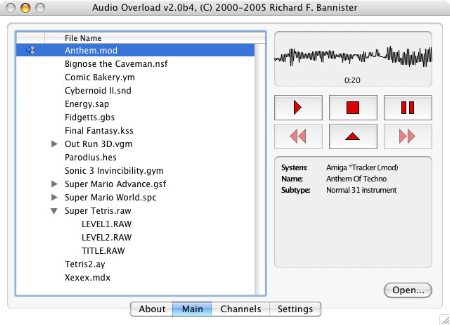
https://www.bannister.org/software/ao.htm
An oldschool music player.
Has potential, but is missing critical features and its development appears to have ceased. Only good for playing ASMA (Atar) .mus, .str, and .wds files.
 |
Google >
Software > Web browsers >
(on Wikipedia)
https://vivaldi.com/
Based on Chrome‘s open-source components (Chromium), but with real-browser functionality added.
Spectacular. It has all the pieces missing from Chrome. I’d strongly consider switching to it from Pale Moon if it had proper ScrapBook X support.