about:blank
moved to Firefox about-blank dark
 |
Followup YouTube+RSS-related stuff is in Atheist YouTube channels, now gone
I was intending to do a decent post every day, but I got really burned out. Why? I’ve been struggling with several different programs over the last couple of weeks. I’ve been sick and tired of the clumsiness that my apathy has allowed.
I think everyone has a sort of apathy towards usability issues. We take them as excusable or as some sort of status quo “that’s just the way it is”. I’m sick and fucking tired of that. Seriously.
 |
Windows > Windows XP >
So here are some rough notes on what I did to set Windows up to clean the crap out and make it go faster.
|
There are two things I want to talk about. One is the underlying technology and the other is the user.
While there are tools which bridge the gap between the mailing list and the forum, I still haven’t found them in common use. I’m going to set aside that line of discussion in this post and go after the everyday usage of the two tools.
Dark > Going dark to save my eyes >
See also:
 OCZ Agility SSD
|
An SSD is a spectacular speed improvement.
2015-10 – I didn’t mention this, but I believe the problem was due to a half-inserted power cable. The hard drive was sortof dangling around, stuffed into a corner of my case because I was too cheap to buy a bracket for it. My bad. =( Also, it appears that Toshiba has bought OCZ.
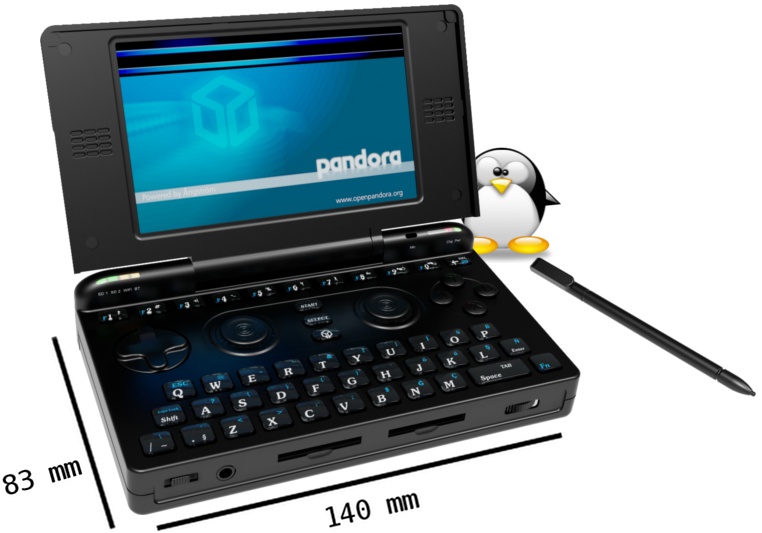 |
Tiny Linux QWERTY gaming palmtop
~2010-01-24 – This was replaced by my Zaurus SL-C1000.
|
I strongly appreciate a single-application single-tasking environment, because it forces you into a totally different mindset from the flurry of activity and noise one always has on an everyday “multitasking” computing environment these days. But since most of my day is spent completely surrounded by multiple applications all vying for my attention, I’ve come to expect to be able to swap my attention around whenever I want.
But there are situations and applications which explicitly deny multitasking.
Seriously.
See also:
The simple way to reproduce this is:
\mkdir  source
\cp     source  target
It’s a pretty simple request. I want to copy a directory. I want to copy and not create the directory. I don’t want any of the contents (cp -r), I just want the container itself, without using mkdir. I don’t want to diddle around with the contents of the directory (moving them around) and then do cp -r. I want to copy the container because I want to match the permissions. I don’t want to separately use other commands to sync permissions:
\chmod  --reference=source  target
\chown  --reference=source  target
Why can’t cp do this? Oh right, it’s GNU .. so it sucks.
I had speed issues, as well as anomalies on the background images of some websites, like http://slackware.com/. Most annoyingly was the horrible hanging in the visual editor when making a new post in WordPress. This is using Slackware 12.2 and either Firefox 3.0.11 or 3.5.1, with or without safe mod.
Here’s how I solved the issue.

