 |
Hardware >
(on Wikipedia)
https://rode.com/en/interfaces-and-mixers/ai-series/ai-1
An audio interface I use with my Rode NT1 microphone.
With zero noise when used with a Rode NT1, it is phenomenal.
|
Hardware >
(on Wikipedia)
https://rode.com/en/interfaces-and-mixers/ai-series/ai-1
An audio interface I use with my Rode NT1 microphone.
With zero noise when used with a Rode NT1, it is phenomenal.
 |
Hardware >
A professional-grade XLR microphone.
With a flat curve and no handling noise, it is phenomenal for voicework.
I also own a:
Note that this the original; it is neither the NT1-A nor the newer USB interface integrated model also named NT1.
 |
Entertainment > Games >
(on Wikipedia)
https://store.steampowered.com/app/213670/
http://www.stickoftruth.com/
An annoying click-timed game with no ability to easily sell junk inventory.
Entertainment > Reading >
Kids, the only survivors of a shipwreck, survive on a paradise island.
It’s interesting, but not great. I stopped just before reading the chapter “A View to a Death” because it had been boring up to that point, and I could tell it was going to spiral into stupidity without a proper lead and reason for it.
 |
Hardware > Microphones >
(on Wikipedia)
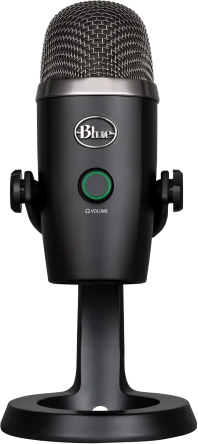
https://www.logitechg.com/en-us/products/streaming-gear/yeti-nano-usb-microphone.html
A high quality budget microphone.
 |
Hardware >
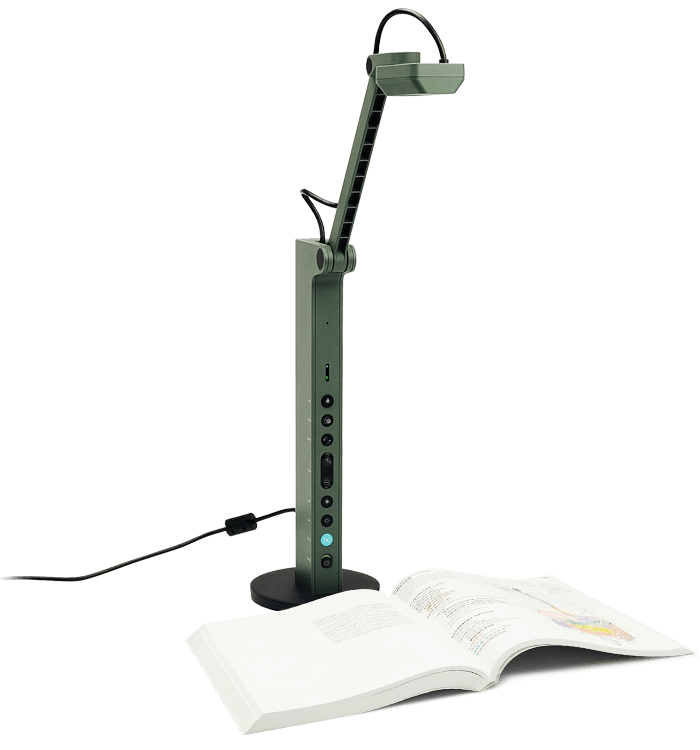
https://www.ipevo.com/products/vz-r
On-device buttons, optical zoom, native H.264 hardware.
Garbage; do not buy this overpriced toy. It’s only “good” because it comes with a stand, but newer webcams are coming out with the threading for mounting to a simple $20 stand.
(on Wikipedia)
https://www.vegascreativesoftware.com/
A video editor.
 |
Computers >
Hardware, Reading >
(on Wikipedia)
https://www.kobo.com/
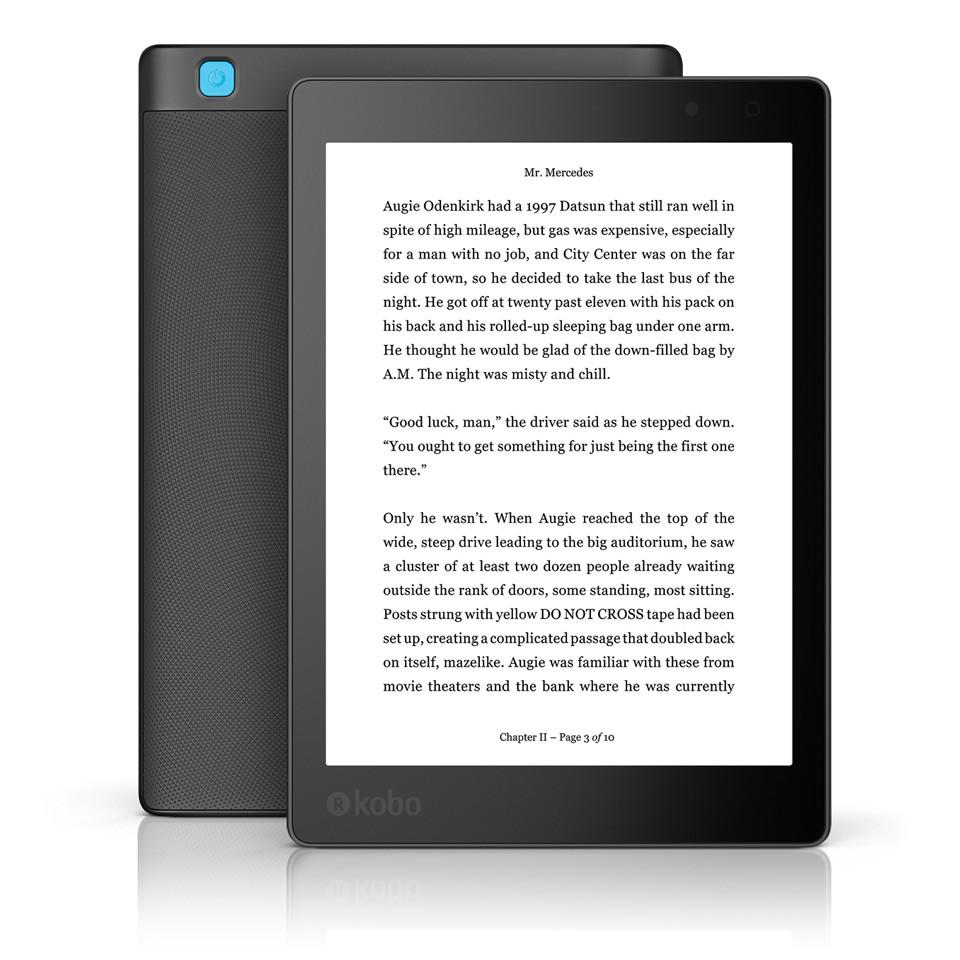
https://ca.kobobooks.com/products/kobo-aura-one
An E-book reader.
Because this is my first e-reader, I can’t judge it against it’s peers. It works well.
It is spectacular hardware-wise. Its software works, but it is sometimes obviously or even critically lacking. It lacking a file browser and respecting directories is bad enough that I can’t really use it for its intended purpose, and almost regret buying it.
todo – there are more notes to be added, I’ve just been busy/lazy.
 Alpine white
|
Hardware >
(on Wikipedia)
https://www.dell.com/support/home/en-ca/product-support/product/inspiron-11-3180-laptop/overview
This is a low-end low-cost laptop. It was on extreme sale, and as it has USB 3.1 it’ll do fine.
Very highly recommended: This thing is awesome in every way. Exception: It’s childishly-glossy and doesn’t have enough drive space for Windows 10; Linux is fine though.
See also:
Windows 10 Home is set up as Compact OS
—
2018-06-08 – I used Windows 10 on it.
Display: 11.6-inch HD (1366×768)
Storage: 32GB eMMC
MicroSD card reader
CPU: AMD E2-9000e
HDMI port
Camera: 1280 x 720 (HD) at 30 fps
Touchpad
Headset port (headphone and microphone combo)
The SSD (eMMC)
Maxx Audio Pro is spectacular
Dell Wireless 1707 Card (802.11bgn + Bluetooth 4.0, 1×1)
This laptop reportedly has official Ubuntu support, though I don’t see any mention of it.
—
The keyboard is great; all the keys are in the right places.
Touchpad
button4 and button5. todo – test – I’m told that the Synaptics’ TouchPad device drivers will allow this.The USB 3.1 port has PowerShare (Toshiba calls it USB Sleep-and-Charge), which lets the computer be asleep and the port remains available for charging.
F2 to enter setup.F12 to enter the boot setup.The BIOS has an impressive suite of diagnostics.
> at the bottom-right to get to the report and thermals.A liveUSB of Ubuntu 18.04 LTS was briefly tested.
The McAfee suite was capping out my CPU usage, and so I didn’t feel bad about uninstalling it to reclaim some much-needed disk space. No seriously, I couldn’t do Windows updates without doing this.
This is an extremely low-power unit, with a CPU running at a mere 6 watts!
Radeon R2
AMD (integrated graphics) “E series”
An average desktop graphics card will easily be several times faster. This is not a gaming laptop.
Native H.264, H.265 and 4K support, making this a great video player.
Shared memory (Video memory is shared with the system)
Dell Wireless 1707 Card (802.11bgn + Bluetooth 4.0, 1×1)
TKIP
Pixel pitch: 0.1875mm
—
At a distance, its viewing angle for “black” washes into grey quite easily.
TODO – Test outdoor brightness
Win-s was too slow for me, because it would suggest internet searches, so I disable it. While I was doing that, I figured I may as well disable such internet search functionality everywhere, for general speed and privacy elsewhere.
Windows Registry Editor Version 5.00

; Disable all web search functionality
; This .reg is especially useful for Windows 10 Home, since gpedit.msc is unavailable on it.

[HKEY_CURRENT_USER\Software\Microsoft\Windows\CurrentVersion\Search]
"BingSearchEnabled"=dword:00000000
"AllowSearchToUseLocation"=dword:00000000
"CortanaConsent"=dword:00000000
Windows Registry Editor Version 5.00
[HKEY_CURRENT_USER\Software\Microsoft\Windows\CurrentVersion\Search]
"BingSearchEnabled"=dword:00000001
"AllowSearchToUseLocation"=dword:00000001
"CortanaConsent"=dword:00000001
Booting from either USB 2.0 or 3.1 will work.
> Security
> Boot
.. now the thing is to set, and order, the items below.
(1) Add additional entries with “File Browser Add Boot Option”
Boot from USBenterenterEFI directory and select your .efi file.(2) Sort the entries
Scroll to the entry you made (e.g. Boot from USB)
F5 to move it downF6 to move it upI went through this process to make two boot entries, one for the left USB (3.1) and the right USB (2.0). This will make it such that I can put a USB key in either USB port. Also, setting the boot order will let me decide if I want to prefer the left or right be booted up.
e.g. make the list:
HDD2-Local
> Change boot mode setting
UEFI with Legacy OPROM; Secure boot: OFF; fTPM is OFF
If you see something like:
Change BOOT mode to:
Legacy Boot Mode, Secure Boot Off
UEFI Boot Mode, Secure Boot On
.. then you have misconfigured things. Return to the F2 setup and re-check those settings.
As I had repairs done, I got to observe the opening process
Pry up the keyboard-plate at the dip in the front. Be sure to use a plastic flexible tool that is wide, otherwise you will damage the plastic.
From the diagnostics screen, the “thermistor” (temperature sensor) results are encouraging:
| part | maximum temperature |
|---|---|
| CPU | 60 C |
| Battery | 32 C |
| Other | 62 C |
| Ambient | 53 C |
| SODIMM | 62 C |
Even after heavy use the numbers stay around there. The table underneath it the laptop will get noticeably hot though.
Process Lasso did absolute wonders for both speed and cooling. It seems like the table is cooler, but I didn’t do any real testing on this.
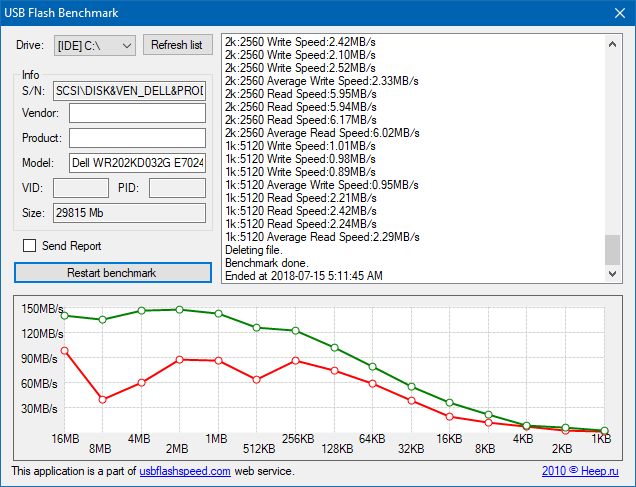 Speed test, first run
|
 Speed test, second run
|
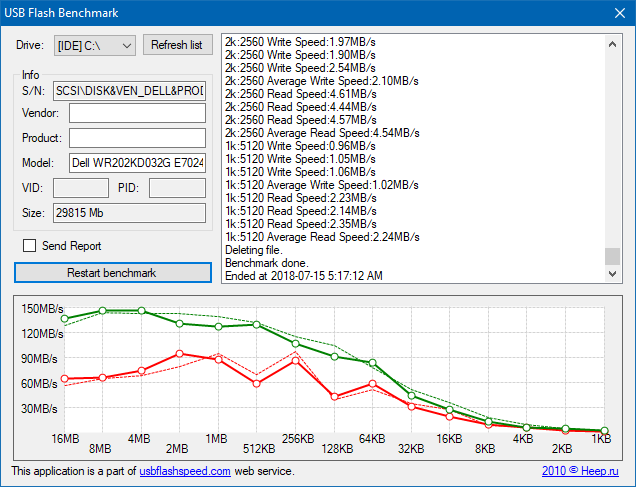 Speed test, third run
|
was dell.com/support/home/us/en/04/drivers/osiso/ (the archive was removed)
As I understand, it’s preferable to download a Windows .iso directly from Microsoft rather than using Dell’s probably-expired versions.
Many Linux distributions will work.
As of 2019-02-19 the Inspiron 11 3180 is not officially supported by Ubuntu. A liveUSB of Lubuntu 18.04 worked fine.
When I checked for Linux support I was only given two .iso files for Windows.
Lubuntu 18.04 didn’t have triple-finger tap to middle-click, which is really annoying. I haven’t really researched this problem.
As I got the minimal Inspiron, it had the very smallest amount of disk space. It is abysmal. Do these:
powercfg /h /type reduced
Compact.exe /CompactOS:always
(Cortana) > “View advanced system settings” > Advanced > (Performance: Settings) > Advanced > (Virtual memory: Change) and reduce the size of the swap file. Removing it isn’t recommended, since this laptop doesn’t have a lot of memory.
How do I press the SysRq and ScrollLock keys? What about numpad keys?
Fn-delete for SysRqPerformance
Battery life testing
Devuan_ascii_2.0.0_i386_desktop-live.iso
Debian 9.5.0
copy2ram won’t work; 4 GB isn’t enough memory.Persistence for Ubuntu and Lubuntu doesn’t appear to work (with MultiBootUSB)
Some software I believe were reported in the manual do not exist:
hDevuan ascii 2.0.0 i386, both desktop and i386 with MultiBootUSB will not boot correctly
Devuan ascii 2.0.0 i386, both desktop and i386 will boot correctly
My delete key was broken, so I’m getting a replacement. Sigh.
CanoScan LiDE 120 tested and works with NAPS2 in both the USB 3.1 and USB 2.0 ports.
BIOS configuration
F2 to enter into the configurationAdvance, which is a typo for Advanced.The first thing I did was to run the BIOS diagnostics. They’re very impressive!
The left side of the laptop
Windows has a great setup
F2 or F12 when rebooting; I have to continuously tap.Dell offers some driver updates for this laptop, however some of them are incompatible and complain when run.
The built-in speakers sound great.
HDMI dual-monitor works great
Windows has no functionality to just “update” a recovery drive.
Misadventure
I needed to free up space for 1803
My earlier USB stick is no longer detectable, was it fried?
1803 worked, however..
All updates worked this time!
Misadventure
Gestures stopped working with my new keyboard. I had been fiddling with drivers, which is the only reasonable culprit. Checking the device manager, I see the pointer has become a PS/2 device, and there were two unknown devices.
Resetting:
There was a problem resetting your PC. No changes were made.. This was with my USB 2.0 port, so I tried the 3.1 port, which worked. I’m pretty sure I had done a reset with the same USB key on the USB 3.1 port, but I can’t recall.I’m able to leave the user/name stuff blank, which isn’t obvious.
Windows feels very slow.
Gestures not work. The device manager shows:
“McAffe Security”
windows-s > “update”
The system is hella slow in general. I thought perhaps this was the restore screwing up partition alignment. I checked and I was missing the tail 5M which was unassigned before.
The fuck.. after this restore, it seems all the Dell boatware is gone! Minecraft, Candy Crush and whatever other things I hadn’t noted. The Dell software, audio and networking helpers and such all stayed.
Debian liveUSB
parted is.Checking that the partitioning is correct:
sudo su
parted
p
align-check opt 1
align-check opt 2
align-check opt 3
align-check opt 4
Everything is correct and aligned by default.
—
TODO – link
Your hardware settings have changed every bootup.I tried the Brave browser, but:
AppDatashift-rightclick its taskbar entryC:\Program Files (x86) has Cisco.. but I don’t have Cisco software!
I researched M.2 technology..
When trying to delete C:\Windows.old..
FixWin 10.0.1.0
The Debian liveUSB
 The bits and pieces thing makes no sense.
|
Entertainment > Games >
(on Wikipedia)
https://www.2k.com/en-US/game/the-bureau-xcom-declassified/
You are part of an elite squad who freeze time to move near cover and get shot in the head.
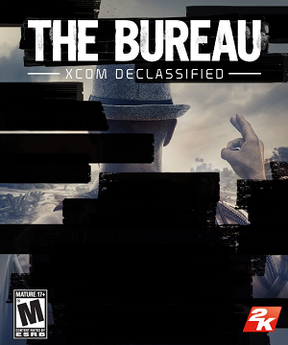
I guess they didn’t play their own game, because there are obvious flaws. This would have been more fun if they got rid of the whole moving around like an RPG. Like the old X-COM ga– oh wait, the old games are just better. Why was this game made?
Properly titled The Bureau: XCOM Declassified

